
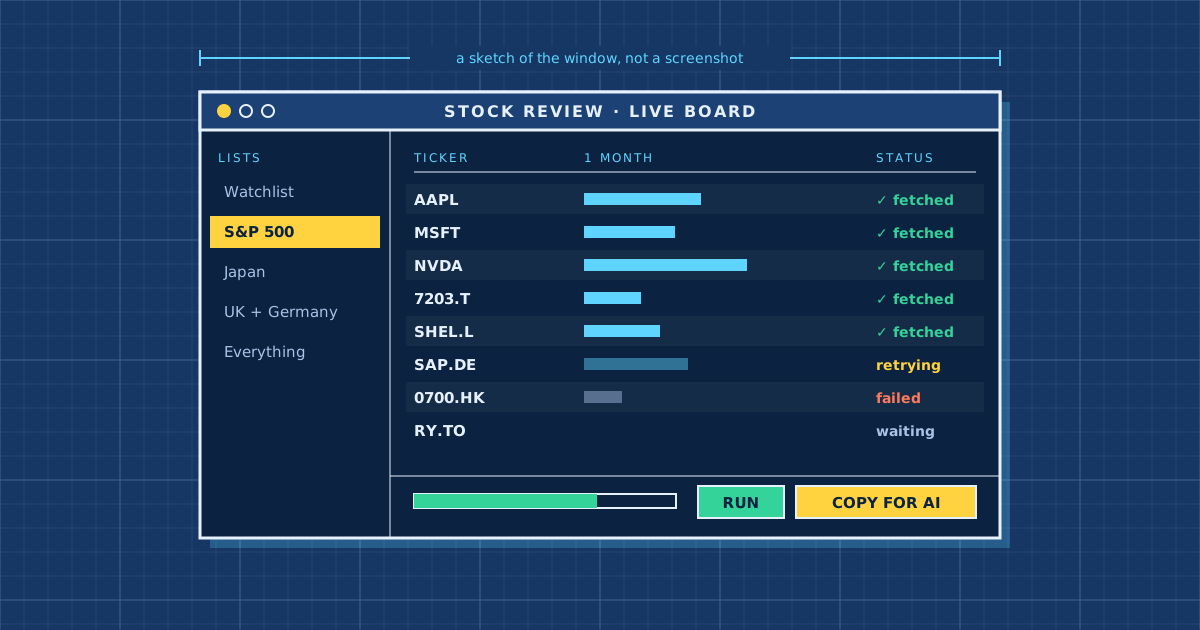
Stock Analyzer
⬇ Just want the app?
Download Stock Review for Windows: double-click it and follow the prompts. You don't need Python. · Website: nxt549.github.io/stock-review · Portable zip · All releases
Everything below is for developers.
A deterministic, inspectable stock-ranking system. It collects data for a configurable universe, scores every stock 0–100 using a transparent cross-sectional ranking methodology, writes a single clean Markdown file of the whole ranked universe, stores everything date-stamped, and backtests whether higher scores preceded higher forward returns.
AUTOMATED RESEARCH SCREEN — NOT FINANCIAL ADVICE. A clean 0–100 score is a ranking, not a forecast. It is unproven until the backtest module shows positive, stable predictive value. Treat the output as a research screen.
This repo ships two different tools — read this before picking one:
| The scored pipeline | The watchlist screen | |
|---|---|---|
| Entry point | scripts/run_daily.py |
stock_review.py / the GUI |
| Output | 0–100 score + rank per stock | Raw sourced numbers, no score |
| Validated? | Has a backtest harness (run_backtest.py) measuring whether the score ever meant anything |
No backtest, no score to backtest — just current fetched data |
| Storage | Every run stored date-stamped in SQLite, feeding the backtest | Nothing stored; each run is a one-off Markdown/CSV/JSON file |
The scored pipeline is the project this README mostly describes below — it's the
one with a methodology worth trusting once the backtest says so. The
watchlist screen (further down, "How to run stock_review.py")
is a lighter, separate tool for a quick fetch-and-eyeball of a list of tickers —
useful, but it has nothing behind it the way the scored pipeline does.
The one architectural rule
There is NO AI/LLM anywhere in this project. Scoring and ranking are 100% deterministic Python — same data in → same scores and same ranks out, every time.
The pipeline's final step serialises the entire ranked universe into one
self-contained, condensed Markdown file,
reports/ai_review_<date>.md, built for you to hand to an AI of
your choice for qualitative review. It is two compact tables — one row per
stock — so even a few-hundred-name universe stays small enough to feed to an AI:
- Scores — every stock with its 0–100 score and per-category score.
- Metric percentiles — every stock's per-metric 0–100 percentile (100 = ranked best; direction already baked in), with a column legend.
Plus built-in instructions for the reviewing AI (name the strongest/weakest,
flag likely data bugs, reason only from the numbers). Set
reporting.deep_dive_n: N to also append a verbose raw-value breakdown for the
top N names (handy for data sanity-checks); it defaults to 0 (fully condensed).
So the AI review happens outside the script, on a single optimised file. No API
key, no network call, no AI-provider SDK dependency. See
src/stock_analyzer/reporting.py.
How to run stock_review.py (the watchlist script)
stock_review.py is the standalone tool: it fetches a watchlist from yfinance and
writes one Markdown file to hand to an AI. It needs only yfinance pandas
(plus requests beautifulsoup4 lxml for the --source/--sector group lists).
Which Python: the bundled
.venvwas built on another machine and is broken; use the working.venv313(Python 3.13). All commands below call its interpreter directly so they work without activating it. From the project root in PowerShell:cd path\to\stock_analyzer(Or run
.\.venv313\Scripts\Activate.ps1once, then just typepythoninstead of the full.\.venv313\Scripts\python.exepath.)
⭐ Full ticker run, lean output — the big one
Every name in the combined global universe (~1,000: ASX 200 + Nikkei + S&P 500 + FTSE 100 + DAX + Hang Seng + TSX 60 + NIFTY 50). The token-light format optimised for feeding to an AI is now the default — no flag needed:
.\.venv313\Scripts\python.exe stock_review.py --file config\universe\global.txt --out reports\global.md
It takes a few minutes and Yahoo will rate-limit a handful near the end — just run
the exact same command again and it resumes (cached tickers are skipped, gaps
filled). Add --workers 3 if you see lots of FAILs; add --rich for the full
human-readable format, or --no-names to shrink the AI file further.
Other ways to run
# Default curated watchlist (~90 names)
.\.venv313\Scripts\python.exe stock_review.py

# Specific tickers (US class shares use a dash: BRK-B, BF-B)
.\.venv313\Scripts\python.exe stock_review.py AAPL MSFT NVDA BHP.AX 7203.T

# A single market
.\.venv313\Scripts\python.exe stock_review.py --source australia     # the full ASX 200
.\.venv313\Scripts\python.exe stock_review.py --source asx-all       # every ASX listing (~2,000)
.\.venv313\Scripts\python.exe stock_review.py --source japan         # Nikkei
.\.venv313\Scripts\python.exe stock_review.py --source sp500         # US large caps
# (many more region & sector groups below — see "Stock groups", or run --list-groups)

# Your own list (one ticker per line, or a 'ticker' CSV column)
.\.venv313\Scripts\python.exe stock_review.py --file mypicks.txt

# Built-in combos
.\.venv313\Scripts\python.exe stock_review.py --source international  # AU+JP+UK+DE+HK+CA+IN (no US)
.\.venv313\Scripts\python.exe stock_review.py --source everything    # US sp1500 + all international (~2,000)

# lean is the default; choose the output path with --out (add --rich for the human format)
.\.venv313\Scripts\python.exe stock_review.py --source australia --out reports\aussie.md
Stock groups — by region and by sector
Two independent axes: --source picks a region / index universe, --sector
filters it to one industry group. Use either alone, or cross them.
# Region groups (incl. small-cap sleeves)
.\.venv313\Scripts\python.exe stock_review.py --source america            # US large+mid+small (= sp1500)
.\.venv313\Scripts\python.exe stock_review.py --source america-smallcap   # US small caps (= S&P 600)
.\.venv313\Scripts\python.exe stock_review.py --source australia          # the full ASX 200
.\.venv313\Scripts\python.exe stock_review.py --source australia-smallcap # small/mid tail of the ASX 200
.\.venv313\Scripts\python.exe stock_review.py --source asx-all            # EVERY ASX listing (~2,000 — big/slow)
.\.venv313\Scripts\python.exe stock_review.py --source global-smallcap    # US + Australian small caps

# Sector groups (span US + Australia by default)
.\.venv313\Scripts\python.exe stock_review.py --sector energy
.\.venv313\Scripts\python.exe stock_review.py --sector mining             # miners / resources
.\.venv313\Scripts\python.exe stock_review.py --sector telecom

# Cross a region with a sector
.\.venv313\Scripts\python.exe stock_review.py --source australia --sector mining   # Aussie miners (ASX 200)
.\.venv313\Scripts\python.exe stock_review.py --source asx-all --sector telecom    # every ASX telecom
.\.venv313\Scripts\python.exe stock_review.py --source america --sector technology # US tech only
Run --list-groups to print every region and sector group (no network), e.g.
.\.venv313\Scripts\python.exe stock_review.py --list-groups. The report records
which group it pulled and any names the precision pass excluded, so the file stays
self-describing.
Sectors: energy, mining, telecom, materials, industrials, technology,
financials, healthcare, consumer, utilities, realestate, communications
(aliases: tech, finance, health, telco, miners, oil, property).
Membership comes straight from the S&P (US) and S&P/ASX 200 (AU) Wikipedia tables
via their GICS sector column — no per-ticker fetch is needed to decide a group.
mining and telecom are sub-industry concepts: on US names they match the precise
GICS sub-industry (Metals & Mining/Gold/Steel/… and Integrated/Wireless Telecom).
The ASX table has no sub-industry column, so Australian names first match the
parent sector (Materials / Communication Services), then a precision pass after
the fetch re-checks each against its yfinance industry and drops the off-sector
ones (e.g. REA, Seek, CarGroup fall out of telecom; packaging/building-materials
fall out of mining). Every exclusion is listed in the report with the industry that
disqualified it, so nothing is silently dropped. The Australian small-cap sleeve is
the ASX 200's small/mid tail (its floor is ~A$1.5B; no clean ASX 300/All-Ords
constituents table exists to go smaller).
Wider than the ASX 200? There is no S&P/ASX 300 or "ASX 500" index that's
cleanly machine-readable (the Wikipedia pages carry no constituents table), so the
reliable superset is --source asx-all (aliases australia-all, asx): every
ASX-listed name (~2,000) from the official ASX CSV. It's large and slow to fetch, so
use --limit or resume across reruns — but it also carries each name's GICS
industry group, so sector slices work on it directly (e.g. --source asx-all --sector telecom finds every ASX telecom, --sector energy every ASX energy name).
--source australia remains the full ASX 200.
Flags: --rich verbose human output instead of the default token-light AI table ·
--no-names drop the Name column (lean output only) for even fewer tokens ·
--format {md,csv,json} output format (default md: the full Markdown report with
prose + legend; csv: just the raw stock grid, no wrapper/prose, pipeable; json:
the stock records + failures as JSON — csv/json still honour --rich/--no-names
for which columns/fields are included) ·
--out PATH output file (default reports\stock_review_<date>.<format>) · --source NAME
region / named universe (curated, sp500/sap, sp400/midcap, sp600/smallcap,
sp1500/us/america, america-smallcap, australia/a200, australia-smallcap,
asx-all/australia-all, global, global-smallcap, japan, uk, germany,
hongkong, canada, india, international, everything) · --sector NAME filter
to one industry group (see above) · --list-groups print all groups and exit ·
--file PATH your own list · --workers N parallel fetches (default 6; lower for
big runs) · --limit N cap the count (must be a positive whole number) · --jitter S
stagger requests to ease 429s (default 0.3) · --retry-rounds N extra gentle retry
passes (default 4) · --cache-dir PATH where the daily resume cache lives (default
data\review_cache) · --no-cache always refetch.
Resume: every success is cached under data\review_cache\<date>\, so a
rate-limited run resumes on rerun. The output is one self-contained Markdown file —
that file is the input to your AI review; no AI runs inside the script.
The output file
One self-contained Markdown file: a short header (stock count, the size / sector / currency mix, the set-median P/E and 1-year return, plus any tickers that failed to fetch or were excluded by the sector precision pass), the review instructions for the AI, a column legend, then one CSV row per stock (mega-cap → micro, native to LLMs). The default is tuned for an AI reader — small and unambiguous:
- Blank = unavailable — never
0, never guessed. Percent columns are bare numbers (16.6means +16.6%); units are stated once in the legend, not per cell. - Sector and Analyst are short codes decoded in the legend (
Tech,CommSvc,Fin, …;SB= strong buy,B= buy,O= outperform,H= hold,U= underperform,S= sell,SS= strong sell, blank = no rating). - Prices and targets stay in each name's listing currency (the
Currcolumn;GBp= pence), while market caps are USD-normalised (MktCapB, in billions) so the size ranking is comparable across markets. The Size column itself is omitted — it's derivable fromMktCapB(thresholds and per-set counts are in the header). - A return window (
1m/3m/6m/1y) is shown only with enough price history, so a recent IPO or spin-off never reports a partial window as if it spanned a full year.
--rich switches to a verbose, human-readable variant instead: per-cell units
($4.66T, +12.6%), n/a for missing values, spelled-out sectors and ratings, and a
Size column. On a ~1,000-name run the default is roughly a fifth smaller than --rich,
and --no-names about a third smaller.
Verify it before trusting it (minimal slice)
The fastest way to confirm the numbers are sane is the offline synthetic
slice — no network, no API key, deterministic fixture (clearly-fake tickers
SYNTH01…):
python -m venv .venv && . .venv/bin/activate        # Windows: .venv\Scripts\activate
pip install -r requirements.txt
python scripts/run_minimal_slice.py --synthetic
This runs collect → score → rank → store → report on 20 fixture stocks and
writes a single reports/ai_review_<date>_synthetic.md. An example is committed in
example_report/. Then point it at live data for the 20
tickers in config/universe/sample20.csv:
python scripts/run_minimal_slice.py # live yfinance data, 20 tickers
Run the math tests (no third-party test runner needed):
python tests/test_scoring.py     # direction, missing-data re-weighting, sectors, determinism
python tests/test_backtest.py    # forward-return / decile / IC harness on a known signal
python tests/test_reporting.py   # AI-review file contract: two condensed tables, no AI leakage
Scale to the full universe by editing config/config.yaml (universe.source: sp500 | nasdaq | asx) and running scripts/run_daily.py.
Installation
- Python 3.11.x is the supported runtime (yfinance is version-sensitive; the
pins in
requirements.txttarget 3.11). The deterministic scoring was also smoke-tested on newer numpy/pandas (3.13). pip install -r requirements.txtcp .env.example .env— only needed for the optional paid data providers or a PostgreSQL URL. No AI/LLM API key is required (the script runs no AI).python scripts/init_db.pyto create the SQLite schema (auto-created on first run anyway).
Heavy/optional pieces and how they degrade if missing:
| Feature | Needs | If missing |
|---|---|---|
| AI-review Markdown file | nothing beyond pandas | always works |
| Live data | yfinance (+ ta for indicators) |
use --synthetic offline |
| PostgreSQL storage | psycopg2-binary + STOCK_ANALYZER_DB_URL |
SQLite default |
The qualitative review itself is done by any AI you choose, by feeding it the
generated reports/ai_review_<date>.md — nothing about that step lives in this repo.
Configuration
Everything behavioural is in config/config.yaml. Highlights:
universe—csv(a watchlist; seeconfig/universe/),sp500,nasdaq, orasx.limitcaps the count for testing.markets— which markets your universe spans; drives the scheduling caveat below.data— cache dir + TTL, batch size, throttle, retry budget, backoff base, history window.scoring— winsor bounds, sectormin_group_size,min_rankable, and the category/metric weights (the knobs the backtest tunes).reporting—output_dir,deep_dive_n(how many top names also get a verbose raw-value breakdown;0= none, fully condensed), andtop_n(used by the backtest).storage—db_url(SQLite default; PostgreSQL supported).optional_providers— clearly-named paid integrations for sentiment/flow, disabled by default.
Secrets come from .env (optional provider keys, STOCK_ANALYZER_DB_URL) — never
from the YAML. No AI/LLM key is used anywhere.
Scoring methodology (the core)
Implemented in src/stock_analyzer/scoring.py;
the metric registry (every metric, its direction, and its peer group) is in
src/stock_analyzer/metrics.py.
No magic-number thresholds. Each metric is converted to a cross-sectional percentile (0–100) against the daily universe:
- Winsorize raw values to the 1st/99th percentile before ranking so outliers don't dominate. (Note: percentile rank is monotonic-invariant, so for pure rank this mainly collapses extreme ties — kept because the spec asks and so the config generalises to a z-score scaler. Documented honestly in the module.)
- Direction is explicit per metric — e.g. low P/E = better, high ROE = better, low debt/equity = better. Non-positive P/E is treated as missing, not "cheapest".
- Fundamentals are ranked WITHIN sector (software vs banks vs miners differ
structurally); technicals/momentum/analyst are ranked across the whole
universe. A sector too small (
< min_group_sizenon-null) falls back to universe ranking so a lone stock can't auto-score 100. - Missing-field rule: a missing metric is excluded and the category is
re-weighted over the metrics that are present. Never substituted with zero
(zero silently penalises), never fabricated. A metric with too few points
universe-wide (
< min_rankable) is dropped for the day.
Category scores → final score. Category score = weighted mean of its available metric percentiles. Final 0–100 = weighted sum of available category scores, with category weights renormalised over the categories a stock actually has (so a missing Sentiment category redistributes its weight rather than zeroing it).
Default category weights (configurable):
| Category | Weight | Peer group |
|---|---|---|
| Fundamentals | 35% | within sector |
| Technicals | 30% | whole universe |
| Momentum | 15% | whole universe |
| Analyst | 10% | whole universe |
| Sentiment | 10% | whole universe (usually unavailable → redistributed) |
A note on Risk (beta, volatility, drawdown, liquidity): the spec's weights
have no Risk category, so these are collected and stored (and surfaced as key
figures in the optional deep_dive_n raw-value section) but are not in the
default composite. Add a Risk category by extending the registry + category_weights.
Output is two compact tables — a scores table (rank | ticker | score | per-category breakdown) and a per-metric percentile matrix — covering every
scored stock at one row each.
Data sources & honesty
Primary source is yfinance, which is unofficial and breakable. We pin a known-good version and treat failures as expected:
- Caching (per ticker, per day under
data/cache), throttling between.infocalls, and retry with exponential backoff + jitter. "Rate-limit handling" here means throttle + cache, not reading an API header. - We never fabricate a value. Unavailable fields are recorded as
nulland marked; the report distinguishes sourced from unavailable. - Fields free yfinance does not reliably provide — news sentiment, social
sentiment, institutional flow, and sometimes PEG / forward EPS, with
patchier ASX coverage — are either left unavailable (and excluded from
scoring) or sourced from an optional, clearly-named paid provider behind a
config flag. See
sentiment_providers.py(shipped as a documented# STUB:— it refuses to invent a number).
Backtest (tune the weights here)
src/stock_analyzer/backtest.py measures whether
higher scores preceded higher forward returns:
python scripts/run_backtest.py
It reads stored scores from the DB and pulls real forward price returns
(prices are available historically; fundamentals are not, so the score history
must genuinely accrue from daily runs). For each horizon (default 1-week = 5
sessions, 1-month = 21 sessions) it reports mean forward return by score
decile, top-5 vs universe average, and the mean rank information
coefficient (Spearman corr of score vs forward return), writing
reports/backtest_<date>.md.
This is the mechanism for tuning weights: edit scoring.category_weights /
metric_weights in the config, accumulate daily runs, re-run the backtest.
Until it shows positive, stable predictive value, the score is a research
screen, not a buy signal — stated in code and in every report.
Scheduling (multi-market caveat)
The universe can span markets that close ~15h apart (ASX ~16:00 Australia/Sydney, US ~16:00 America/New_York). One 4pm run cannot serve both. Pick one:
- Per-market runs with market-specific config files/universes, or
- A single daily run after the last enabled market closes (for a given weekday, ASX closes ~06:00 UTC and US ~21:00 UTC, so ~22:30 UTC captures both — adjust for DST). yfinance daily bars settle shortly after the close, so add ~30–60 min.
Examples for Linux/macOS cron, Windows Task Scheduler, and Docker are
in scheduling/. Quick options:
python scripts/run_daily.py                 # one-shot (call from cron/Task Scheduler)
python scripts/run_daily.py --schedule 22:30  # long-lived in-process scheduler
docker compose -f scheduling/docker-compose.yml up -d   # containerised
Storage
SQLite by default (database/stock_analyzer.db); PostgreSQL via
storage.db_url or STOCK_ANALYZER_DB_URL. The schema (ORM in
storage/models.py; generated SQL in
database/schema.sql) stores, per date-stamped run:
runs, securities, raw_snapshots (full raw dict with nulls preserved),
metric_values (raw scoring inputs + availability), metric_scores (percentiles),
category_scores (+ coverage), scores (final + rank), and reports. This gives
the backtest its history and lets you audit exactly what fed each score.
Project structure
stock_analyzer/
├── config/            config.yaml + universe CSVs (sample20, custom_example)
├── data/              yfinance cache (gitignored)
├── database/          SQLite db + generated schema.sql
├── logs/              dated run logs
├── reports/           generated ai_review_<date>.md files
├── example_report/    a committed example report (synthetic data)
├── scheduling/        cron / Task Scheduler / Docker
├── scripts/           run_minimal_slice, run_daily, run_backtest, init_db
├── tests/             test_scoring, test_backtest (run as plain scripts)
└── src/stock_analyzer/
    ├── config.py          typed config + .env
    ├── logging_setup.py    file + stderr logging
    ├── universe.py         csv / sp500 / nasdaq / asx
    ├── data_collection.py  yfinance: cache, retry/backoff, throttle
    ├── indicators.py       technical indicators (uses `ta`, not pandas-ta)
    ├── metrics.py          THE metric registry + scoring-input derivation
    ├── scoring.py          THE deterministic 0–100 engine
    ├── backtest.py         forward-return / decile / IC harness
    ├── reporting.py        single AI-review Markdown file (no AI runs here)
    ├── pipeline.py         orchestration + synthetic fixture
    └── storage/            SQLAlchemy models + db helpers
ta vs pandas-ta: we use ta (single pure-Python dep, stable, pins
cleanly) and deliberately do not install both.
What this proves (and doesn't)
It proves the pipeline runs end-to-end, the scoring is deterministic, sector-aware, outlier-dampened, and honest about missing data, and the results are fully inspectable (every percentile and category weight is stored and shown). It does not prove a high-scoring stock will rise. Only the backtest can speak to that — and only after enough history accrues. Until then: research screen, not financial advice.